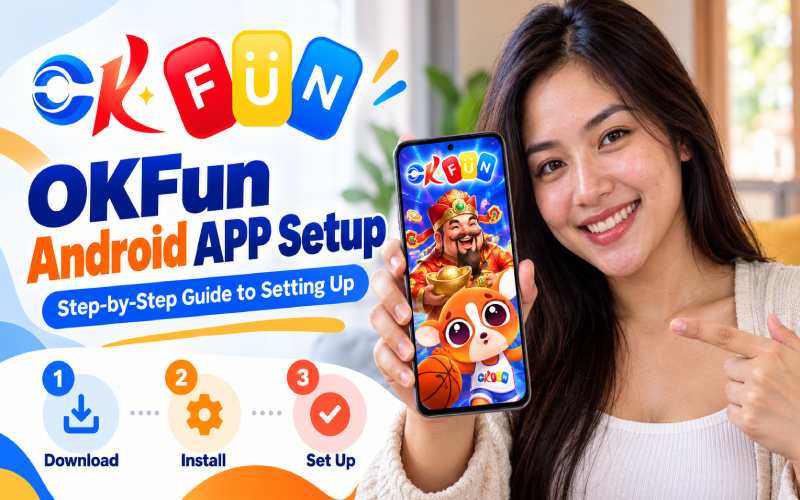
This guide walks you through the okfun android app setup, from checking your device and downloading the APK to installation, account access, and updates. You’ll also learn how to handle Android permissions safely and check gaming-site legitimacy before registering or depositing money. A few careful checks can save you from unnecessary headaches.
Installing an Android APK can be confusing, especially when download links look similar, your phone warns about unknown apps, or the installer suddenly fails. For Filipino players, the important thing is knowing which source to trust before tapping anything.
What You Need Before Starting the OKFun Android App Setup
Prepare an Android phone with enough free storage, a stable internet connection, and an updated browser. Globe, Smart, and DITO mobile data can work, although a reliable Wi-Fi connection will be more convenient for downloading larger files.
Use the official download page at ok fun apk rather than third-party APK mirrors. However, an official-looking website alone does not establish regulatory approval. Before playing or depositing, verify the operator through PAGCOR Guarantee. I could not independently confirm OKFUN’s licensing from the official results checked.
Step-by-Step OKFun APK Installation on Android
Follow these steps for a standard okfun apk installation. Menu names will differ slightly between Samsung, Xiaomi, OPPO, vivo, and other brands.
1. Open the download page. Visit the published OKFUN download page using your phone’s browser. Confirm the website address carefully before tapping its Android download option.
2. Download the APK. Wait for the file to finish downloading. Open your Downloads folder and check the filename and source before proceeding. Avoid files shared through random chat messages or shortened links.
3. Allow installation temporarily. If Android blocks the installer, open Settings and find Install unknown apps or the equivalent option. Select the browser or file manager you used, then enable permission for that app only. This setting is commonly the step that confuses first-time APK users.
4. Install the file. Return to the downloaded APK and tap it. Review the installation prompt and any requested access. Stop if the file requests suspicious permissions or the source cannot be verified.
5. Open and check the app. After installation, launch it and check whether the login screen loads correctly. Do not enter payment details if you have doubts about the website or operator.
6. Disable installation permission again. Return to Settings and turn off Allow from this source. This reduces the chance of accidentally installing another unverified APK later.
Troubleshooting tip: If you see “App not installed” or a parse error, check the Android compatibility, download integrity, and available storage. Delete a corrupted download and obtain a fresh copy only after verifying the source.
OKBet Login and Account Setup
If the service offers registration, use its official registration screen and provide accurate information. Follow the displayed verification process, and read the privacy and account terms before submitting personal details.
For the okbet login process, enter your registered credentials through the verified website or app. Use a strong, unique password, never share an OTP, and avoid logging in through links sent by strangers. Account access does not prove that an operator is licensed.
OKBet Free 20 APK Latest Version and Updates
Searches for the okbet free 20 apk latest version will lead to pages with outdated files or unverified bonus claims. Check the official download page for its current version details, update instructions, and any published release notes before replacing an existing installation.
To update, follow the verified provider’s instructions and check that the new file comes from the same trusted source. If a newcomer promotion is advertised, read the official eligibility rules, wagering conditions, expiry dates, and withdrawal restrictions before claiming it. A bonus is not guaranteed profit.
Safety, Responsible Gaming and Tips
Online gambling involves financial risk; there are no guaranteed wins or reliable promises of easy income. Only adults aged 18 or older should consider gambling, and stricter legal eligibility requirements will apply.
Set deposit and playing-time limits before starting. Never borrow money to gamble, chase losses, or share financial credentials. Avoid modified APKs and links promising special access or unusually generous rewards.
For Philippine regulatory checks, use PAGCOR’s official verification portal and confirm the specific website and operator. Do not assume that a brand is licensed simply because its name appears in promotional material. PAGCOR also provides responsible gaming information.
Frequently Asked Questions
Safety cannot be guaranteed from a download page alone. Verify the source, review permissions, and confirm the operator’s regulatory status before sharing information or money.
Android APK files do not install on iPhones. Check the provider’s verified iOS options instead, and avoid installing configuration profiles from untrusted sources.
Check compatibility, storage, and file integrity. Restart the phone if needed, then retry only with a verified installer.
Conclusion
A careful okfun android app setup starts with checking compatibility, verifying the download source, and restoring Android’s security settings after installation. Protect your login details and set clear spending limits before using any gaming service. Information in this guide is current as of October 22, 2026; check official documentation and PAGCOR’s verification portal before proceeding.