
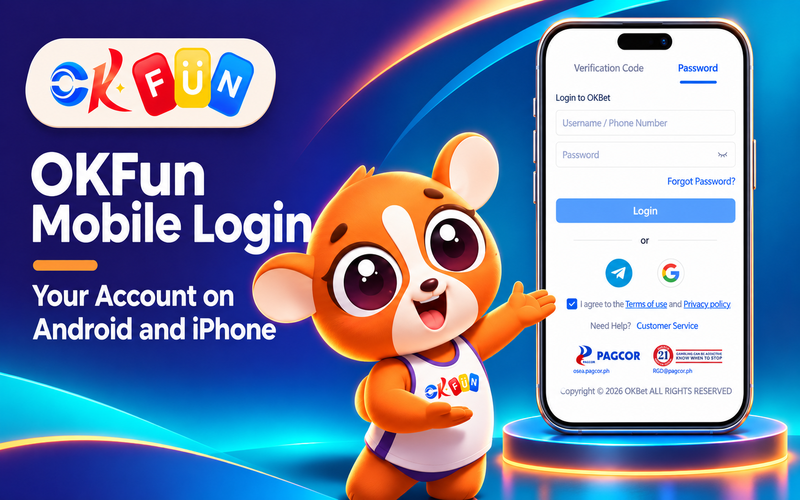
You’ve just installed OKFun on your phone, opened the login page, and now you’re wondering whether to choose Password or Verification Code. It’s a common point of confusion for new and returning players in the Philippines. The good news is that the okfun mobile login screen keeps its main options straightforward. Whether you’re using an Android phone or an iPhone, understanding what each field does can help you avoid mistakes and access your account more confidently.
How OKFun Mobile Login Works on Android and iPhone
To log in to OKFun on mobile, choose Password or Verification Code, enter your username or phone number, agree to the Terms of Use and Privacy Policy, and tap Login.
Follow these steps:
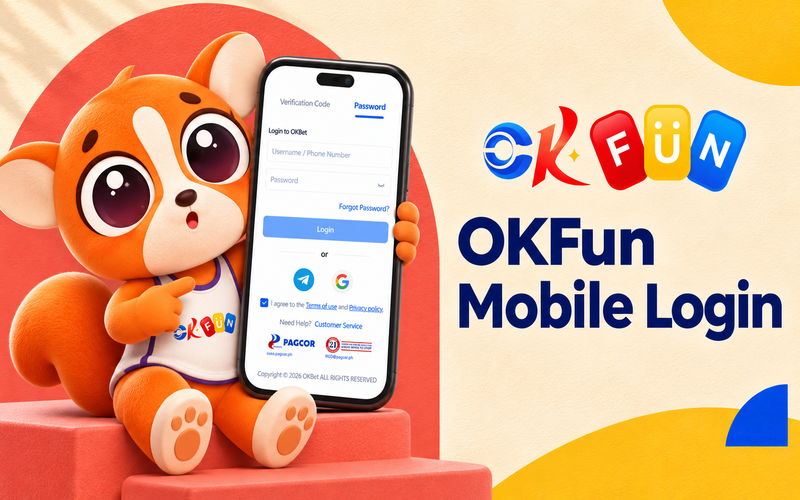
- Choose a login tab. The screen displays two options: Password and Verification Code. Password is the active tab by default. Select Verification Code if you prefer code-based access.
- Enter your account details. The field accepts your Username / Phone Number. Under Password, enter your registered password. A small eye icon lets you show or hide the password while typing.
- Check the agreement box. Tick “I agree to the Terms of use and Privacy policy” before continuing.
- Tap Login. Check your details once more, then press the Login button.
The displayed login layout is the same for Android and iPhone. The main difference is how you access OKFun: Android users will install an APK, while iPhone users should use the browser or an app version available to this. The actual login fields remain the reference point.
Login Options Compared
OKFun provides four visible login methods: Password, Verification Code, Telegram, and Google. The right choice depends on which account credentials and services you have available.
| Login method | What you need | Best for |
|---|---|---|
| Password | Username or phone number and password | Regular account access |
| Verification Code | Registered phone number and requested code | Players who prefer code-based login |
| Telegram | Access to the associated Telegram account | Users choosing Telegram login |
| Access to the associated Google account | Users choosing Google login |
For regular use, Password is a practical starting point if you remember your credentials. If a code doesn’t arrive, trying the Password tab can be a useful alternative.
Fixing Common Login Problems
Most OKFun login difficulties involve incorrect credentials, missing verification codes, or an unreliable internet connection. Check these basics before contacting support.
- Forgotten password: Select the Forgot Password? link. Follow the available password-reset instructions to regain access. A password reset means replacing an old or forgotten password.
- Verification code not arriving: Check your registered phone number and wait briefly. If the code still doesn’t arrive, try the Password tab instead, provided you remember your password.
- Incorrect phone number format: Make sure you’re entering the number associated with your account. Check the country code and number formatting rather than repeatedly submitting different versions.
- Weak connection: Switch between Wi-Fi and mobile data to test your connection. Globe and Smart users should check their signal before trying again.
If these checks don’t solve the problem, use the Customer Service link under “Need Help?” Avoid sharing your password or verification code with anyone claiming to fix your account.
Before You Download or Update the App
Before installing OKFun, check that you’re using a current version from an official source. Searches for okfun app casino apk download 2022 will lead to older installation files.
An APK released in 2022 will be outdated and could lack current updates. Android users should check the latest version through the official source before installing or updating. iPhone users should check the official website or the app version available to this. Don’t install files from unfamiliar download pages.
What Happens After You Log In
After logging in, players can explore the available OKFun casino features and account options. These will include games, promotions, and account tools, depending on the current platform offering.
If you’re interested in an okfun casino withdrawal, check the account verification requirements and available payout methods first. Philippine players will look for options such as GCash and Maya, but their availability depends on the current platform rules.
Account verification generally means confirming account details to support account security and financial transactions. Don’t assume that every payment method, promotion, or withdrawal option is always available. Check the official app or Customer Service for current terms, fees, requirements, and processing conditions.
Safety and Responsible Play
Use official OKFun access links, protect your login details, and only participate if you’re at least 21. The displayed login page includes a PAGCOR logo, the website osea.pagcor.ph, and a responsible gaming reminder.
The screen states: “Gambling can be addictive, know when to stop.” It also displays the 21+ badge and [email protected].
Never share your password or verification codes through messages or unofficial support channels. Check website addresses carefully before entering personal information. Gambling involves financial risk, so set limits and stop when playing is no longer enjoyable.
FAQs
Open the Password tab or choose Verification Code. Enter your registered phone number, complete the required fields, tick the agreement checkbox, and tap Login.
Tap the Forgot Password? link on the login screen and follow the available reset instructions. If you still need assistance, contact Customer Service.
Yes, the login screen displays both Google and Telegram as alternative login options. Choose the relevant option if you have access to the associated account.
An older 2022 APK will be outdated and might not include current updates. Check the latest version through an official source before installing it.
Account verification will be required before certain withdrawals, depending on the platform’s current rules. Check the available requirements and payout methods through your account or Customer Service before requesting a withdrawal.