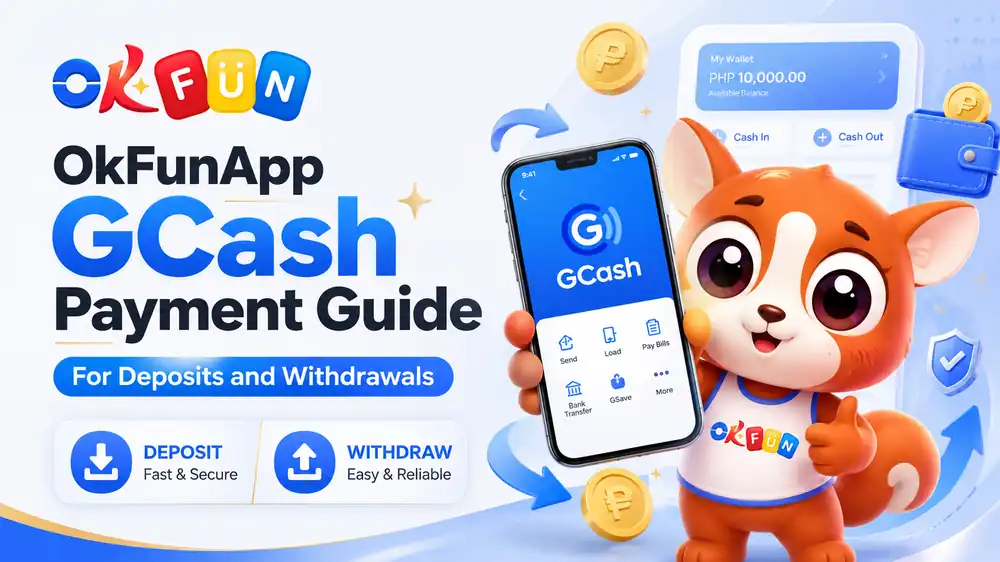
GCash is one of the most familiar digital payment options in the Philippines. It allows users to transfer funds, pay bills, and complete online transactions through a mobile phone. Because of this convenience, many Filipino users look for clear information about OkFunApp GCash payment before adding funds or requesting a withdrawal.
This post explains the usual deposit and cash-out process, what details you may need, and how to avoid common transaction problems. Payment options, limits, fees, and processing times may change, so always check the latest information shown inside the official OkFun App cashier before confirming a transaction.
What Is OkFunApp GCash Payment?
OkFunApp GCash payment refers to using a GCash wallet to fund an OkFun App account or receive an approved withdrawal when the option is available. The payment section may display several local methods. GCash can be convenient because users do not need to enter traditional bank card details for every transaction. Instead, they usually complete the payment through their mobile wallet.
The two main transactions are:
- GCash deposit, which sends funds to the OkFun App balance
- GCash withdrawal, which transfers eligible funds back to the user’s wallet
Although both use the same e-wallet, their requirements may differ. Deposits are usually simpler, while withdrawals may require account verification and additional review.
How an OkFunApp GCash Deposit Usually Works
The okfunapp gcash deposit process normally begins inside the account’s wallet or cashier section.
A typical process may include the following steps:
- Sign in to your OkFun App account.
- Open the wallet, cashier, or deposit page.
- Choose GCash from the available payment methods.
- Enter the amount you want to deposit.
- Review the wallet number and transaction details.
- Follow the GCash payment instructions.
- Confirm the transaction and wait for the balance update.
The exact page names may be different depending on the app version. Users should follow only the instructions displayed through the official OkFun App website or application. Before approving the payment, check the amount carefully. Make sure that the GCash wallet has enough balance to cover the transaction and any applicable charge.
What Information May Be Required for a Deposit?
An OkFunApp GCash payment may require basic account and wallet information. This can include your registered name, mobile number, deposit amount, or a payment reference. Use information that matches your account details whenever possible. A name or mobile number mismatch may cause delays, especially if the transaction needs manual review.
Do not send your GCash MPIN, one-time password, or account password to another person. These details should only be entered within the official GCash application or a verified payment screen. Keep the confirmation message or transaction reference until the funds appear in your OkFun App balance. This reference can help customer support locate the payment if a delay occurs.
How Long Does a GCash Deposit Take?
A successful GCash deposit may appear quickly, but the actual processing period can depend on system traffic, maintenance, verification, or payment network delays. Avoid submitting the same payment repeatedly when the first transaction is still pending. Duplicate attempts may create confusion or charge the wallet more than once.
When the funds do not appear, check:
- Whether the amount left your GCash wallet
- Whether the mobile number was correct
- Whether the transaction shows as successful or pending
- Whether you received a reference number
- Whether the OkFun App cashier has a maintenance notice
If the transaction was completed but the balance remains unchanged, contact official support and provide the reference, amount, and transaction time. Never post full payment details publicly.
How OkFun App GCash Withdrawal May Work
The okfun app gcash withdrawal process allows eligible users to request a transfer from their available account balance to a GCash wallet.
The usual steps may include:
- Log in to the verified OkFun App account.
- Open the withdrawal or cash-out page.
- Select GCash when it is listed as an available method.
- Enter the receiving mobile number.
- Choose an amount within the displayed limits.
- Review the account and wallet information.
- Submit the withdrawal request.
- Wait for the platform’s review and payment processing.
A submitted request may not be completed instantly. Withdrawals can involve account checks designed to confirm ownership and reduce unauthorized transactions.
Users should review the current minimum and maximum withdrawal limits inside the cashier. Do not rely on old screenshots or instructions from unofficial pages because payment rules can change.
Why Account Verification Matters
A platform may request identity verification before processing a withdrawal. This can help confirm that the person requesting the payment owns the account and receiving wallet.
Possible verification requirements may include:
- A valid identification document
- A matching registered name
- A verified mobile number
- Account ownership confirmation
- Additional transaction review
Make sure that the name used for OkFun App is consistent with the name connected to the GCash wallet. A mismatch can lead to a rejected request or a longer review.
Only upload verification documents through the platform’s confirmed account area. Avoid sending identification files to unofficial social media pages or personal messaging accounts.
Common GCash Payment Problems
Several issues can affect an OkFunApp GCash payment.
Incorrect mobile number
A single wrong digit may send the transaction to the wrong wallet or prevent the request from being processed. Review the number before confirming.
Account details do not match
Different names or incomplete account information may trigger verification. Update incorrect details through official support rather than creating multiple accounts.
Deposit remains pending
Payment network delays, maintenance, or an incomplete confirmation can cause a pending transaction. Save the reference and allow the displayed processing period to pass before contacting support.
Withdrawal is rejected
A request may be rejected because of incorrect wallet details, incomplete verification, unavailable balance, or failure to meet the platform’s payment conditions.
Transaction limits
GCash and OkFun App may apply their own wallet or transaction limits. Check both services before selecting an amount.
How to Use GCash More Safely
Always access the OkFun App through its confirmed website or official application. Fake pages may imitate the login screen or cashier to collect account and payment information. Use a strong password and avoid sharing login details. Keep your GCash MPIN, one-time passwords, and verification codes private. If you have problems in logging in check out this blog OkFun App Login Issues? Easy Fixes to Restore Access
Before sending funds, confirm:
- The website address or app source
- The selected payment method
- The deposit or withdrawal amount
- The receiving wallet number
- Any fees or conditions shown
- The transaction status
Do not continue when the payment instructions suddenly change or ask you to send money to an unrelated personal account without confirmation from official support.
Final Reminders for OkFunApp GCash Users
OkFunApp GCash payment can provide Filipino users with a familiar way to manage deposits and eligible withdrawals. However, every transaction should begin with a careful review of the account details, wallet number, amount, and latest cashier instructions. For deposits, save the transaction reference and avoid repeated payments while a transfer is pending. For withdrawals, complete the required verification and make sure the GCash details match the registered account.
Payment availability, processing times, limits, and fees may change. Check the current information inside the official OkFun App payment section before proceeding. Most importantly, use only money intended for entertainment and never treat gaming as a guaranteed source of income.